Chess: play a friend or the computer
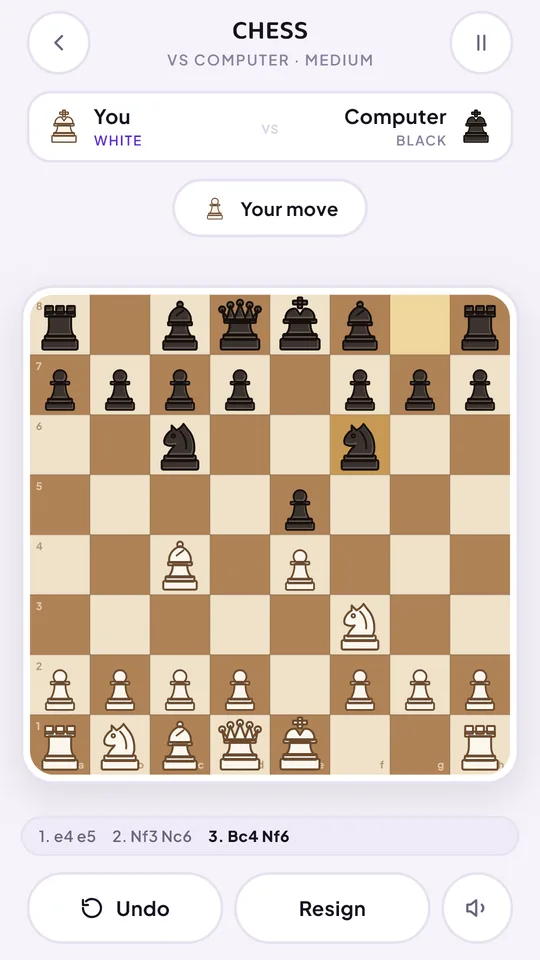
Classic strategy, one move at a time. New in Khel Party 1.2.0: play chess with a friend on the same phone, or take on the computer on Easy, Medium or Hard.
- 1–2 players
- 5–20 min
- Computer: Easy, Medium, Hard
- Optional clock: 5, 10 or 15 min
How to play chess
- White moves first, then the players alternate. Tap a piece to see where it can go.
- Each piece moves its own way, and a move may never leave your own king in check.
- A pawn that reaches the far rank becomes a queen, rook, bishop or knight: you choose.
- Trap the king with no legal move and it is checkmate. No legal move without check is a draw.
Chess in Khel Party
- Two players, one phone: pass the phone after each move.
- Against the computer: choose Easy, Medium or Hard, and play White (moves first) or Black (moves second). Your pieces always sit at the bottom of the board.
- Chess clock: play without a clock, or give each side 5, 10 or 15 minutes.
- Undo: take a move back and try another idea.
- Continue later: an unfinished game is saved, so you can pick it up again from where you left off.
- Offline: the Android app needs no internet, no login and no account.
Watch the game
Watch the full Chess video · All game videos
Chess tips for beginners
- Fight for the centre. Pawns and pieces on the middle squares control more of the board and get to either side faster.
- Develop knights and bishops first. Bring them out before the queen. An early queen gets chased around and you lose time.
- Castle early. Castling tucks your king behind pawns and brings a rook towards the middle in one move.
- Check every capture. Before each move, ask what your opponent can take, and whether your piece is protected.
- Look for knight tricks. A knight jumps over pieces, so a king boxed in by its own men can be mated by a knight alone, as in the video.
Ways to play chess
- Chess vs computer, free: start on Easy to learn, move up to Medium, and try Hard when you are winning. Play White or Black.
- Two players, one phone: sit across the table and pass the phone after each move.
- With or without a clock: play untimed and think as long as you like, or give each side 5, 10 or 15 minutes.
Why play on Khel Party
Free chess with no login and no account. Play in your browser at khelparty.web.app/play, or in the Android app, which works offline. When you want something lighter, Ludo, Carrom and Tic Tac Toe are in the same app.
Frequently asked questions
Is Khel Party chess free?
Yes. Chess is free to play in your browser and in the Khel Party Android app.
Can I play chess vs the computer?
Yes. Choose Easy, Medium or Hard, and play White or Black.
Can two people play chess on one phone?
Yes. Two players share one phone and pass it after each move.
Is there a chess clock?
It is optional. Play without a clock, or give each side 5, 10 or 15 minutes.
Can I undo a move or finish a game later?
Yes. You can undo a move, and an unfinished game is saved so you can continue it from the Chess menu.
Does it need a login or internet?
No login and no account. The Android app also works offline. It is free on Google Play.
More games in Khel Party
- Ludo
- Snake & Ladder (Saanp Seedhi)
- Tic Tac Toe
- Snake & Bite
- Bubble Blast
- Carrom
- Block Drop
- Twist the Bolt
Follow @khelparty.app on Instagram for a new game reel every day.